[vc_row][vc_column][vc_single_image image=”628770″ img_size=”full” onclick=”link_image”][vc_empty_space][/vc_column][/vc_row][vc_row][vc_column][vc_column_text]
The AI ReMix Update is Here!
Let your imagination soar with over 100 styles at a new dynamic speed.
AI ReMix has been a creator’s playground since it’s creation earlier this year. With our latest update, AI ReMix is bigger, bolder, and faster than ever before. Using significantly faster GPU processing, you can apply over 100 styles to your images and find the styles you love much faster with added category sorting.
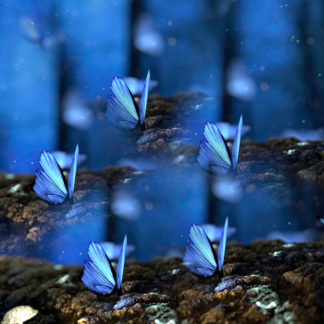
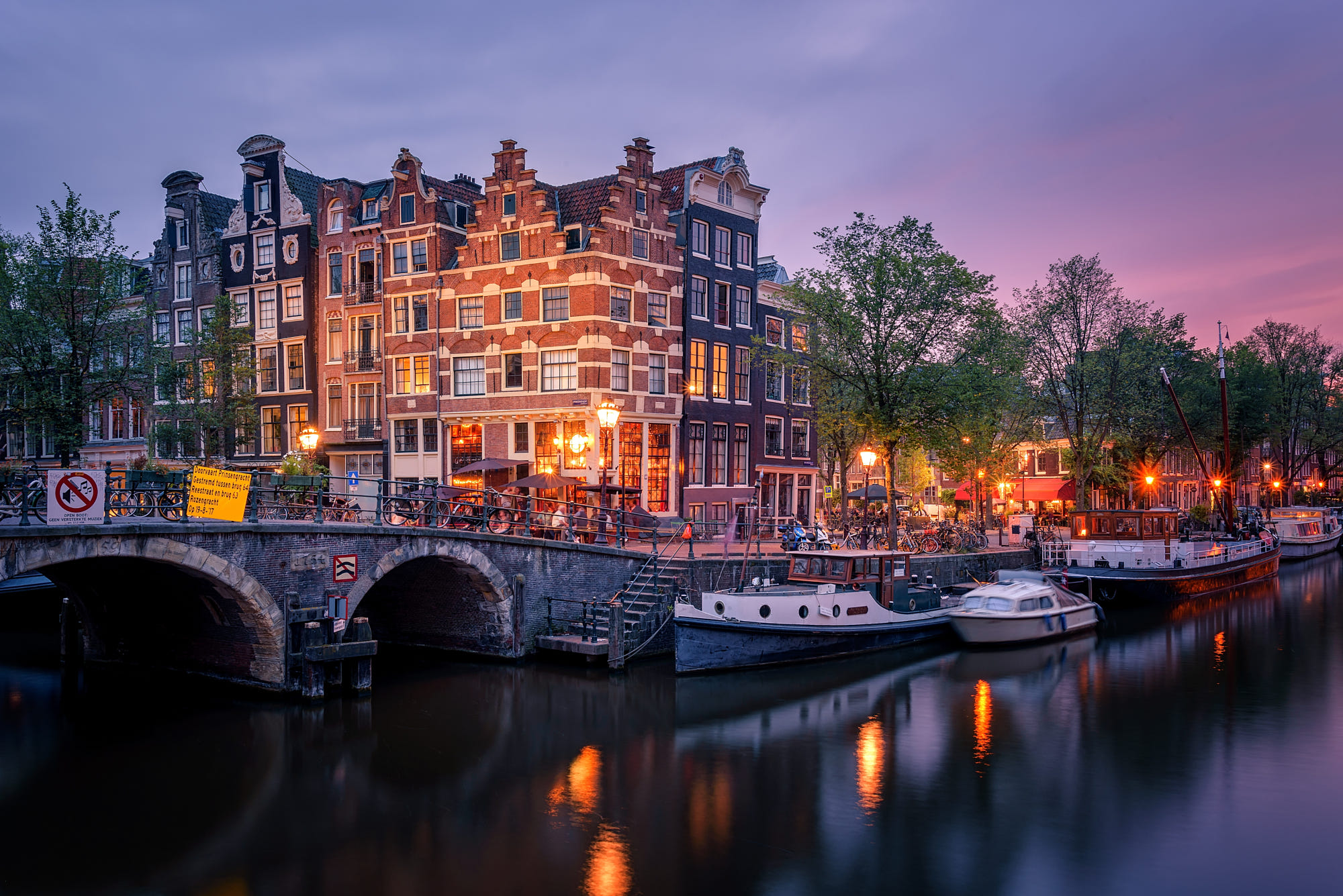
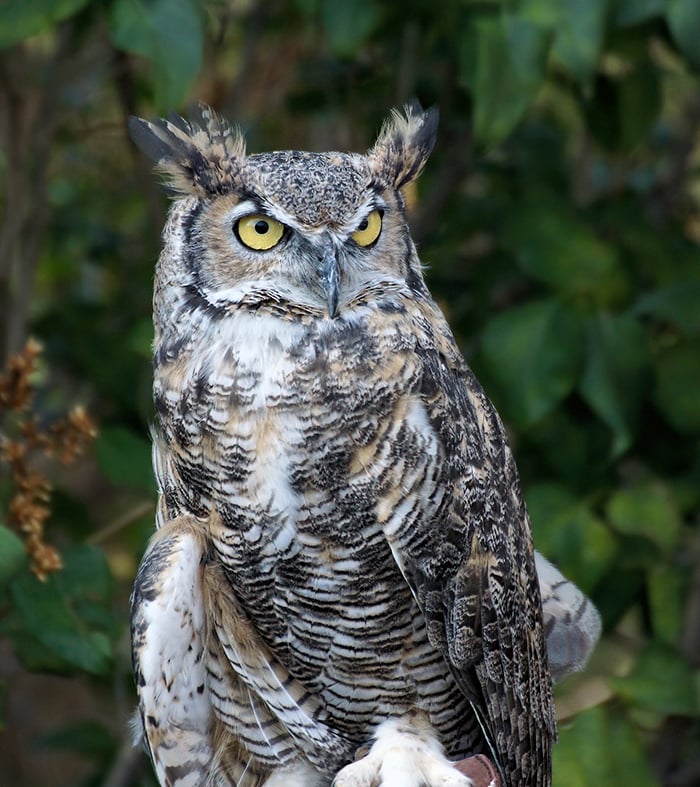
[/vc_column_text][mpc_carousel_image preset=”mpc_preset_4″ loop=”true” auto_slide=”true” delay=”1500″ speed=”450″ images=”628673,628684,641220,641221,628679″ rows=”1″ cols=”4″ gap=”30″ start_at=”4″ image_size=”large” image_opacity=”80″ image_hover_opacity=”90″ overlay_enable_lightbox=”true” overlay_icon=”etl etl-magnifying-glass” overlay_icon_color=”#333333″ overlay_icon_size=”44″ overlay_icon_background=”rgba(255,255,255,0.6)” overlay_icon_border_css=”border-radius:100px;” overlay_icon_padding_css=”padding:22px;” overlay_hover_color=”#75cdde” overlay_hover_icon_background=”rgba(255,255,255,0.9)” image_hover_inner_border_css=”box-shadow: inset 0px 0px 0px 10px rgba(255,255,255,0.7);”][vc_empty_space][mpc_callout preset=”mpc_preset_26″ layout=”style_4″ title_font_preset=”mpc_preset_17″ title_font_color=”#535353″ title_font_size=”22″ title_font_line_height=”1.3″ title_font_transform=”uppercase” title_font_align=”left” title=”Get AI ReMix Now!” title_margin_divider=”true” title_margin_css=”margin-top:5px;margin-bottom:5px;” content_width=”100″ content_font_preset=”mpc_preset_44″ content_font_color=”#868686″ content_font_size=”17″ content_font_line_height=”1″ content_font_align=”left” content_margin_divider=”true” content_margin_css=”margin-top:0px;margin-bottom:0px;” icon=”fa fa-diamond” icon_color=”#1a85a5″ icon_size=”50″ icon_padding_divider=”true” icon_padding_css=”padding-right:40px;” icon_margin_divider=”true” background_color=”#f7f7f7″ border_divider=”true” border_css=”border-top:0px;border-right:0px;border-bottom:0px;border-left:15px;border-color:#1a85a5;border-style:solid;” padding_divider=”true” padding_css=”padding-top:40px;padding-right:30px;padding-bottom:40px;padding-left:30px;” mpc_button__url=”url:https%3A%2F%2Ftopazlabs.com%2Fcart%2F%3Fadd-to-cart%3D291305|title:Link||” mpc_button__font_preset=”mpc_preset_20″ mpc_button__font_color=”#f7f7f7″ mpc_button__font_size=”16″ mpc_button__font_transform=”uppercase” mpc_button__title=”Buy Now” mpc_button__background_color=”#75cdde” mpc_button__border_css=”border-width:2px;border-color:#75cdde;border-style:solid;border-radius:0px;” mpc_button__padding_divider=”true” mpc_button__padding_css=”padding-top:12px;padding-right:30px;padding-bottom:12px;padding-left:30px;” mpc_button__margin_divider=”true” mpc_button__margin_css=”margin-right:40px;” mpc_button__hover_font_color=”#75cdde” mpc_button__hover_background_color=”#f7f7f7″ mpc_button__hover_background_effect=”expand-diagonal_left” mpc_button__animation_loop_type=”callout.pulse” mpc_button__animation_loop_duration=”500″ mpc_button__animation_loop_delay=”1500″ mpc_divider__disable=”true” mpc_divider__preset=”mpc_preset_2″ mpc_divider__width=”10″ mpc_divider__lines_color=”#f7f7f7″ mpc_divider__lines_weight=”2″ mpc_divider__margin_divider=”true” mpc_divider__margin_css=”margin-bottom:-10px;”]
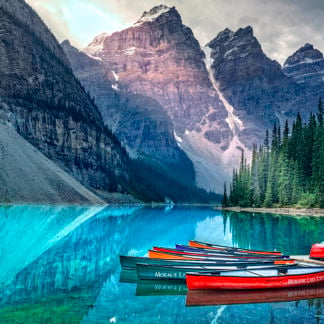
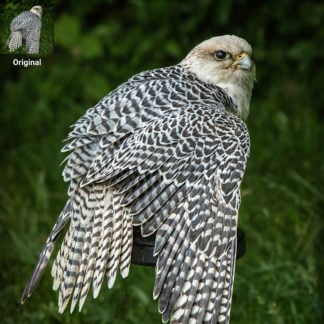
Create a work of art in a single click with the AI ReMix adjustment.
[/mpc_callout][vc_empty_space][/vc_column][/vc_row][vc_row][vc_column width=”2/3″][vc_single_image image=”641218″ img_size=”full” onclick=”link_image”][vc_empty_space][/vc_column][vc_column width=”1/3″][vc_column_text]
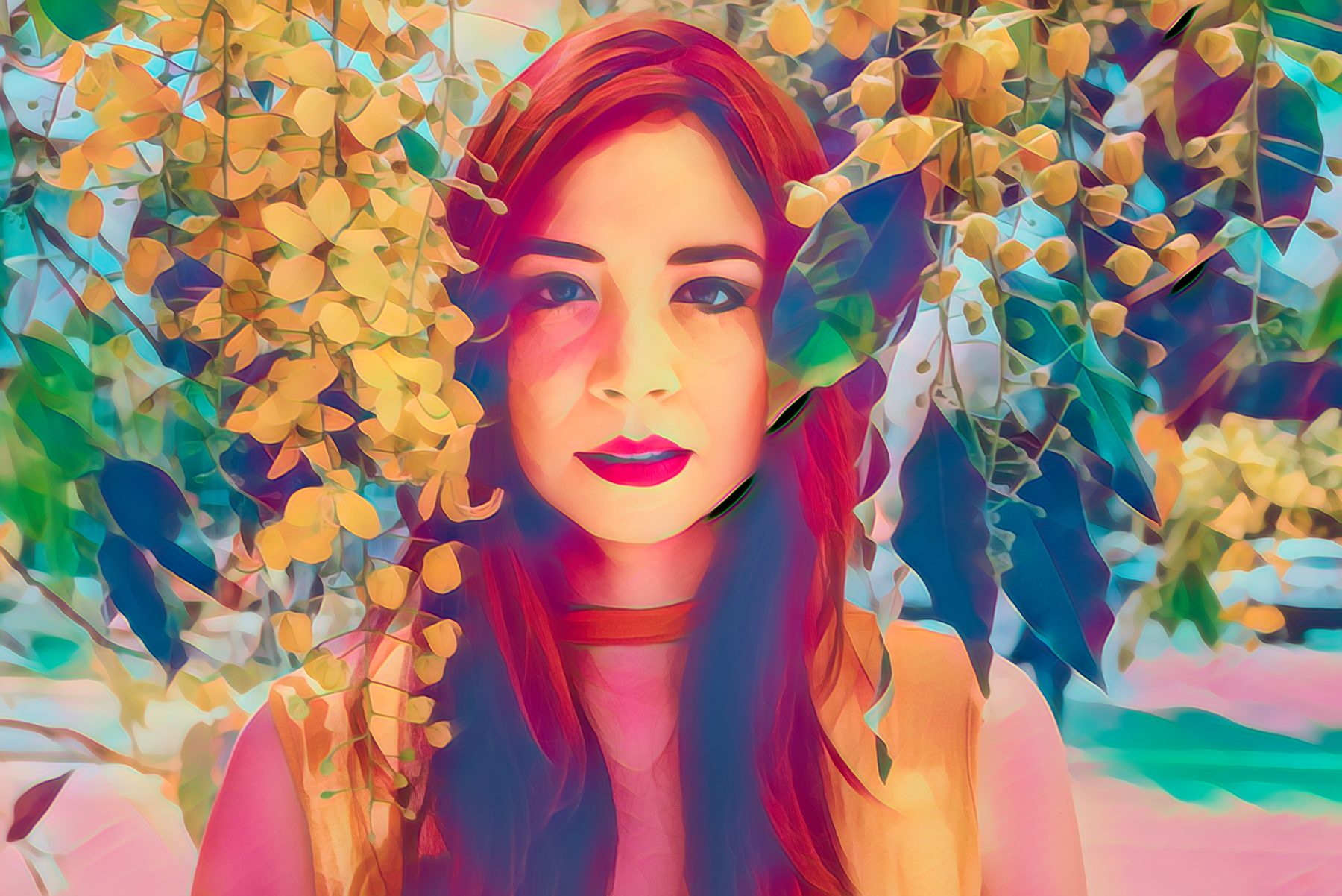
AI ReMix utilizes the flexibility of custom neural networks to create specialized artistic models based off of real art styles. More than the typical use of AI, it’s the first of Topaz Studio’s ‘Artistic Intelligence’ adjustments available in Topaz Studio.
[/vc_column_text][/vc_column][/vc_row][vc_row][vc_column][vc_column_text]
Use AI ReMix to quickly change the direction a piece of art is headed. Don’t like the color palette or the overall style of your image? Apply one dose of AI ReMix, and the possibilities will start opening up again. AI ReMix will quickly match shadows, highlights, and various feature sizes in your image with the data contained in our Artistic Intelligence models, and transfer the style in our model to your image.
[/vc_column_text][/vc_column][/vc_row][vc_row][vc_column][vc_empty_space][mpc_divider preset=”mpc_preset_18″ content_type=”title” content_border_css=”border-width:1px;border-color:#e0e0e0;border-style:solid;” content_padding_divider=”true” content_padding_css=”padding-top:5px;padding-right:15px;padding-bottom:5px;padding-left:15px;” font_preset=”mpc_preset_1″ font_color=”#888888″ font_size=”20″ font_line_height=”1″ font_transform=”uppercase” font_align=”left” title=”New Features in AI ReMix” icon_type=”character” icon_character=”M” icon_color=”#76bdcc” icon_size=”30″ lines_color=”#e0e0e0″ padding_divider=”true”][vc_empty_space][vc_row_inner][vc_column_inner width=”1/3″][mpc_icon_column preset=”mpc_preset_25″ background_color=”#f7f7f7″ border_css=”border-radius:10px;” padding_divider=”true” padding_css=”padding-top:40px;padding-right:30px;padding-bottom:40px;padding-left:30px;” title_font_preset=”mpc_preset_17″ title_font_color=”#5c5c5c” title_font_size=”20″ title_font_line_height=”1″ title_font_transform=”uppercase” title_font_align=”center” title=”New Artistic Styles” content_font_preset=”mpc_preset_1″ content_font_color=”#929292″ content_font_size=”15″ content_font_line_height=”1.5″ content_font_align=”center” hover_background_color=”#ffffff” hover_border_css=”border-radius:10px;” mpc_icon__icon=”fa fa-angellist” mpc_icon__icon_color=”#757575″ mpc_icon__icon_size=”30″ mpc_icon__padding_divider=”true” mpc_icon__margin_divider=”true” mpc_icon__margin_css=”margin-bottom:20px;” mpc_icon__hover_icon=”eti eti_lightbulb” mpc_icon__hover_icon_color=”#f29760″ mpc_divider__width=”10″ mpc_divider__content_padding_divider=”true” mpc_divider__content_padding_css=”padding-top:0px;padding-right:0px;padding-bottom:0px;padding-left:0px;” mpc_divider__lines_color=”#dddddd” mpc_divider__padding_divider=”true” mpc_divider__padding_css=”padding-top:3px;padding-bottom:3px;”]
In the latest update to AI Remix, we’ve included 28 new styles to foster more creativity and innovation with your images. Each unique style was trained using artificial intelligence to enhance the look of your photo using every feature of your original image.
[/mpc_icon_column][/vc_column_inner][vc_column_inner width=”1/3″][mpc_icon_column preset=”mpc_preset_25″ background_color=”#f7f7f7″ border_css=”border-radius:10px;” padding_divider=”true” padding_css=”padding-top:40px;padding-right:30px;padding-bottom:40px;padding-left:30px;” title_font_preset=”mpc_preset_17″ title_font_color=”#5c5c5c” title_font_size=”20″ title_font_line_height=”1″ title_font_transform=”uppercase” title_font_align=”center” title=”New Categories” content_font_preset=”mpc_preset_1″ content_font_color=”#929292″ content_font_size=”15″ content_font_line_height=”1.5″ content_font_align=”center” hover_background_color=”#ffffff” hover_border_css=”border-radius:10px;” mpc_icon__icon=”fa fa-cubes” mpc_icon__icon_color=”#757575″ mpc_icon__icon_size=”30″ mpc_icon__padding_divider=”true” mpc_icon__margin_divider=”true” mpc_icon__margin_css=”margin-bottom:20px;” mpc_icon__hover_icon=”eti eti_lightbulb” mpc_icon__hover_icon_color=”#f29760″ mpc_divider__width=”10″ mpc_divider__content_padding_divider=”true” mpc_divider__content_padding_css=”padding-top:0px;padding-right:0px;padding-bottom:0px;padding-left:0px;” mpc_divider__lines_color=”#dddddd” mpc_divider__padding_divider=”true” mpc_divider__padding_css=”padding-top:3px;padding-bottom:3px;”]
With so many styles to choose from, we wanted to provide you with an easier way to select the image styles you love. That’s why we’ve sorted our styles into six new categories: Abstract, High Impact, Pastel, Sketch and Watercolor. Finding your favorite styles has never been easier.
[/mpc_icon_column][/vc_column_inner][vc_column_inner width=”1/3″][mpc_icon_column preset=”mpc_preset_25″ background_color=”#f7f7f7″ border_css=”border-radius:10px;” padding_divider=”true” padding_css=”padding-top:40px;padding-right:30px;padding-bottom:40px;padding-left:30px;” title_font_preset=”mpc_preset_17″ title_font_color=”#5c5c5c” title_font_size=”20″ title_font_line_height=”1″ title_font_transform=”uppercase” title_font_align=”center” title=”Better Performance” content_font_preset=”mpc_preset_1″ content_font_color=”#929292″ content_font_size=”15″ content_font_line_height=”1.5″ content_font_align=”center” hover_background_color=”#ffffff” hover_border_css=”border-radius:10px;” mpc_icon__icon=”fa fa-tachometer” mpc_icon__icon_color=”#757575″ mpc_icon__icon_size=”30″ mpc_icon__padding_divider=”true” mpc_icon__margin_divider=”true” mpc_icon__margin_css=”margin-bottom:20px;” mpc_icon__hover_icon=”eti eti_lightbulb” mpc_icon__hover_icon_color=”#f29760″ mpc_divider__width=”10″ mpc_divider__content_padding_divider=”true” mpc_divider__content_padding_css=”padding-top:0px;padding-right:0px;padding-bottom:0px;padding-left:0px;” mpc_divider__lines_color=”#dddddd” mpc_divider__padding_divider=”true” mpc_divider__padding_css=”padding-top:3px;padding-bottom:3px;”]
Using the feedback from our customers, we’ve implemented an entirely new GPU processing method in our engine to get you a better, more intelligent result at a much faster speed from our AI products. More artistic expression in a fraction of the time!
[/mpc_icon_column][/vc_column_inner][/vc_row_inner][/vc_column][/vc_row][vc_row][vc_column][vc_empty_space][vc_empty_space][mpc_divider preset=”mpc_preset_18″ content_type=”title” content_border_css=”border-width:1px;border-color:#e0e0e0;border-style:solid;” content_padding_divider=”true” content_padding_css=”padding-top:5px;padding-right:15px;padding-bottom:5px;padding-left:15px;” font_preset=”mpc_preset_1″ font_color=”#888888″ font_size=”20″ font_line_height=”1″ font_transform=”uppercase” font_align=”left” title=”How to Use AI ReMix” icon_type=”character” icon_character=”M” icon_color=”#76bdcc” icon_size=”30″ lines_color=”#e0e0e0″ padding_divider=”true”][vc_empty_space][mpc_callout preset=”mpc_preset_32″ layout=”style_5″ title_font_color=”#f7f7f7″ title_font_size=”26″ title_font_line_height=”1″ title_font_transform=”uppercase” title_font_align=”left” title=”Install Topaz Studio” title_margin_divider=”true” title_margin_css=”margin-top:0px;margin-bottom:8px;” content_width=”100″ content_font_color=”#f7f7f7″ content_font_size=”17″ content_font_line_height=”1″ content_font_align=”left” content_margin_divider=”true” content_margin_css=”margin-top:0px;margin-bottom:0px;” icon=”fa fa-arrow-circle-o-down” icon_color=”#f7f7f7″ icon_size=”60″ icon_padding_divider=”true” icon_padding_css=”padding-right:30px;” icon_margin_divider=”true” background_type=”gradient” background_gradient=”#83bae3||#80e0d4||0;100||40||linear” padding_css=”padding:30px;” mpc_button__url=”url:https%3A%2F%2Ftopazlabs.com%2Fdownloads%2F|title:Link||” mpc_button__font_color=”#f7f7f7″ mpc_button__font_size=”16″ mpc_button__font_transform=”uppercase” mpc_button__title=”Download Topaz Studio” mpc_button__border_css=”border-width:2px;border-color:#f7f7f7;border-style:solid;border-radius:10px;” mpc_button__padding_divider=”true” mpc_button__padding_css=”padding-top:12px;padding-right:30px;padding-bottom:12px;padding-left:30px;” mpc_button__margin_divider=”true” mpc_button__hover_font_color=”#80e0d4″ mpc_button__hover_background_color=”#f7f7f7″ mpc_button__hover_background_effect=”slide-right” mpc_divider__disable=”true” mpc_divider__width=”10″ mpc_divider__lines_color=”#f7f7f7″ mpc_divider__lines_weight=”2″ mpc_divider__margin_divider=”true” mpc_divider__margin_css=”margin-bottom:-10px;”]
Get a free version from our downloads page!
[/mpc_callout][vc_empty_space][vc_column_text]
Topaz AI ReMix works exclusively within the Topaz Studio platform. So if you’re going to use AI ReMix you need to make sure that you’ve got Topaz Studio installed.
Once you’ve opened Topaz Studio, you can add AI ReMix to your image by selecting it in the Adjustments list.
[/vc_column_text][vc_empty_space][/vc_column][/vc_row][vc_row][vc_column width=”2/3″][vc_single_image image=”643261″ img_size=”full” onclick=”link_image”][vc_empty_space][/vc_column][vc_column width=”1/3″][vc_column_text]
Applying the adjustment is easy, simply add the AI ReMix adjustment to your adjustment stack and our custom neural network will analyze your image to apply the artistic style of your choice.
[/vc_column_text][/vc_column][/vc_row][vc_row][vc_column][vc_row_inner][vc_column_inner width=”1/2″][vc_empty_space][vc_empty_space][vc_column_text]
How does AI ReMix Work?
AI ReMix uses the insight of a custom neural network trained on millions of images to detect details in your image and apply one of over 100 styles to artistically alter your image.
Take AI ReMix even further with the full range of free tools, features, and adjustments available in Topaz Studio. With features like integrated masking, blending modes and opacity controls, toning and color controls, unlimited undo/redo, and much more.
[/vc_column_text][vc_empty_space][/vc_column_inner][vc_column_inner width=”1/2″][vc_empty_space][mpc_callout preset=”mpc_preset_5″ layout=”style_2″ title_font_preset=”mpc_preset_17″ title_font_color=”#f7f7f7″ title_font_size=”20″ title_font_line_height=”2″ title_font_transform=”uppercase” title_font_align=”center” title=”Wanna Learn More?” title_margin_divider=”true” title_margin_css=”margin-top:-1px;” content_width=”100″ content_font_preset=”mpc_preset_44″ content_font_color=”#f7f7f7″ content_font_size=”17″ content_font_line_height=”1.75″ content_font_align=”center” icon=”etl etl-lightbulb” icon_color=”#ffffff” icon_size=”44″ icon_border_css=”border-width:3px;border-color:#ffffff;border-style:dashed;border-radius:100px;” icon_padding_css=”padding:10px;” icon_margin_divider=”true” icon_margin_css=”margin-bottom:0.4em;” background_color=”#75cdde” padding_css=”padding:30px;” mpc_button__preset=”mpc_preset_35″ mpc_button__url=”url:https%3A%2F%2Ftopazlabs.com%2Fai-remix%2F|||” mpc_button__font_preset=”mpc_preset_20″ mpc_button__font_color=”#ffffff” mpc_button__font_size=”16″ mpc_button__font_transform=”uppercase” mpc_button__title=”Visit the AI ReMix Page” mpc_button__border_css=”border-width:2px;border-color:#ffffff;border-style:solid;border-radius:5px;” mpc_button__padding_divider=”true” mpc_button__padding_css=”padding-top:12px;padding-right:30px;padding-bottom:12px;padding-left:30px;” mpc_button__margin_divider=”true” mpc_button__margin_css=”margin-top:0px;margin-right:0px;margin-bottom:0px;margin-left:0px;” mpc_button__hover_font_color=”#75cdde” mpc_button__hover_background_color=”#ffffff” mpc_button__hover_background_effect=”slide-left” mpc_button__hover_border_css=”border-radius:0px;” mpc_divider__preset=”mpc_preset_2″ mpc_divider__width=”10″ mpc_divider__lines_color=”#f7f7f7″ mpc_divider__lines_weight=”2″ mpc_divider__margin_divider=”true” mpc_divider__margin_css=”margin-bottom:0px;”]
Check out the AI ReMix product page to learn more about AI ReMix including pricing and to see more examples. You can even try it for FREE for 30 days – just install Topaz Studio (if you don’t have it yet – it’s free too!) or update your Topaz Studio to the latest version!
[/mpc_callout][vc_empty_space][/vc_column_inner][/vc_row_inner][/vc_column][/vc_row][vc_row][vc_column][vc_empty_space][vc_empty_space][mpc_divider preset=”mpc_preset_18″ content_type=”title” content_border_css=”border-width:1px;border-color:#e0e0e0;border-style:solid;” content_padding_divider=”true” content_padding_css=”padding-top:5px;padding-right:15px;padding-bottom:5px;padding-left:15px;” font_preset=”mpc_preset_1″ font_color=”#888888″ font_size=”20″ font_line_height=”1″ font_transform=”uppercase” font_align=”left” title=”Compatibility and Requirements” icon_type=”character” icon_character=”M” icon_color=”#76bdcc” icon_size=”30″ lines_color=”#e0e0e0″ padding_divider=”true”][vc_empty_space][/vc_column][/vc_row][vc_row][vc_column][vc_column_text]
Topaz AI ReMix™ is available as a Pro adjustment with Topaz Studio, a standalone photo editor. It is compatible with 64-bit Windows 7+ and Mac OS X 10.10+.
For more information about Topaz Studio’s AI ReMix™ Adjustment, please visit web.topazlabs.com/ai-remix.
[/vc_column_text][vc_empty_space][mpc_callout preset=”mpc_preset_26″ layout=”style_4″ title_font_preset=”mpc_preset_17″ title_font_color=”#535353″ title_font_size=”22″ title_font_line_height=”1.3″ title_font_transform=”uppercase” title_font_align=”left” title=”Get AI ReMix Now!” title_margin_divider=”true” title_margin_css=”margin-top:5px;margin-bottom:5px;” content_width=”100″ content_font_preset=”mpc_preset_44″ content_font_color=”#868686″ content_font_size=”17″ content_font_line_height=”1″ content_font_align=”left” content_margin_divider=”true” content_margin_css=”margin-top:0px;margin-bottom:0px;” icon=”fa fa-diamond” icon_color=”#1a85a5″ icon_size=”50″ icon_padding_divider=”true” icon_padding_css=”padding-right:40px;” icon_margin_divider=”true” background_color=”#f7f7f7″ border_divider=”true” border_css=”border-top:0px;border-right:0px;border-bottom:0px;border-left:15px;border-color:#1a85a5;border-style:solid;” padding_divider=”true” padding_css=”padding-top:40px;padding-right:30px;padding-bottom:40px;padding-left:30px;” mpc_button__url=”url:https%3A%2F%2Ftopazlabs.com%2Fcart%2F%3Fadd-to-cart%3D291305|title:Link||” mpc_button__font_preset=”mpc_preset_20″ mpc_button__font_color=”#f7f7f7″ mpc_button__font_size=”16″ mpc_button__font_transform=”uppercase” mpc_button__title=”Buy Now” mpc_button__background_color=”#75cdde” mpc_button__border_css=”border-width:2px;border-color:#75cdde;border-style:solid;border-radius:0px;” mpc_button__padding_divider=”true” mpc_button__padding_css=”padding-top:12px;padding-right:30px;padding-bottom:12px;padding-left:30px;” mpc_button__margin_divider=”true” mpc_button__margin_css=”margin-right:40px;” mpc_button__hover_font_color=”#75cdde” mpc_button__hover_background_color=”#f7f7f7″ mpc_button__hover_background_effect=”expand-diagonal_left” mpc_button__animation_loop_type=”callout.pulse” mpc_button__animation_loop_duration=”500″ mpc_button__animation_loop_delay=”1500″ mpc_divider__disable=”true” mpc_divider__preset=”mpc_preset_2″ mpc_divider__width=”10″ mpc_divider__lines_color=”#f7f7f7″ mpc_divider__lines_weight=”2″ mpc_divider__margin_divider=”true” mpc_divider__margin_css=”margin-bottom:-10px;”]
Create a work of art in a single click with the AI ReMix adjustment.
[/mpc_callout][vc_empty_space][/vc_column][/vc_row][vc_row disable_element=”yes” css=”.vc_custom_1532620050960{padding-top: 20px !important;padding-bottom: 20px !important;}”][vc_column][vc_column_text][vc_empty_space][vc_column_text]
Step 4: Set your Output Folder
[/vc_column_text][vc_column_text]Now that we have the source folder set we want to set up the destination folder where we will save the processed images. Click the “Choose” button under the destination settings window to set your destination folder.[/vc_column_text][vc_single_image image=”420529″ img_size=”full” onclick=”link_image”][vc_empty_space][vc_row_inner][vc_column_inner width=”1/3″][vc_column_text]Just like you did with your source folder, you want to navigate to the folder where you’d like to save the images that you process. I’ve already set up a “batching out” folder so i’ll select that and click “Select Folder”.[/vc_column_text][vc_empty_space][/vc_column_inner][vc_column_inner width=”2/3″][vc_single_image image=”420531″ img_size=”full” onclick=”link_image”][/vc_column_inner][/vc_row_inner][vc_row_inner][vc_column_inner][vc_column_text]NOTE: If you select an output folder that contains files you’ll see the warning on the right letting you know that there is a potential for overwriting files, if you continue and you haven’t changed your batch settings to something new from the last time you batched, you will overwrite those files. This message serves as your only warning.[/vc_column_text][vc_empty_space height=”16px”][vc_single_image image=”420574″ img_size=”full” alignment=”center” onclick=”link_image”][vc_empty_space][/vc_column_inner][/vc_row_inner][vc_column_text]If you chose the “include subfolder” option in the source menu you can also select an option here to “keep source folder structure” to create the exact same subfolders and sort files into them as you have set up in your source folder.[/vc_column_text][vc_empty_space][/vc_column][/vc_row]