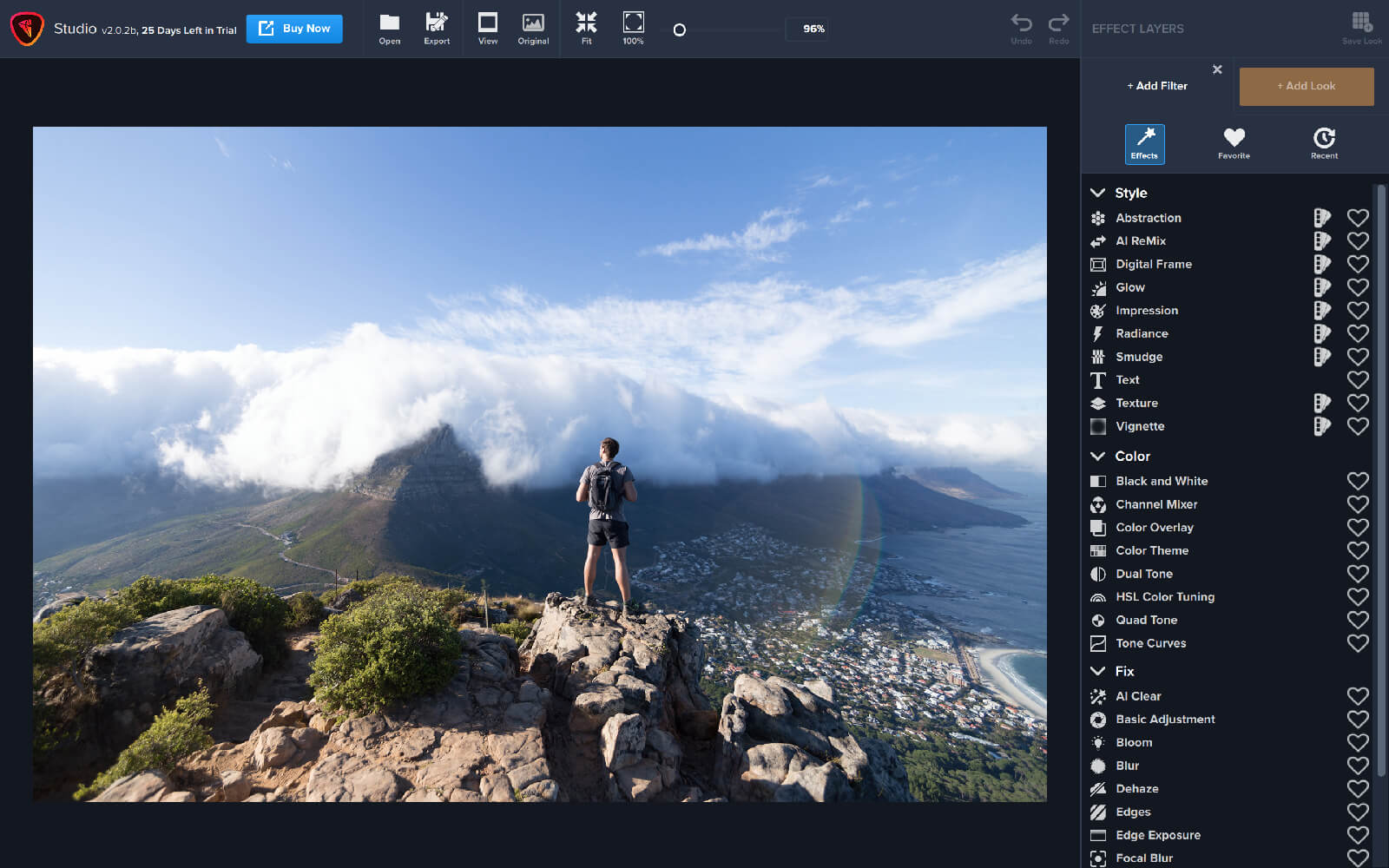
Two weeks ago, we released our latest product, Topaz Studio 2! The release plan was to get the amazing features of Topaz Studio 2 to our customers, while following fast with additional features and improvements. Over the last two weeks, we’ve held to that commitment and released 7 updates that included the planned features as well as improvements based on invaluable feedback from our customers. We are excited about what we have accomplished together thus far in such a short period of time! Our team is committed to continuing to add features, enhance, and support Studio 2 and it’s users. Check out the progress that has been made since the product’s release:
Additions:
- Crop / Rotate / Straighten
- Resizing
- Studio 2 Project Files that complete save and return you to your workspace
- Histogram
- Filter Level Presets including the ability to add your own
- Image Navigator
- Search by Name in AI Remix, Texture, and Digital Frame
- Tools Menu for quick access to Histogram, Crop, Navigator
- Copy and Paste Masks between layers
- Complete Texture Management
Improvements:
- Ability to Save Studio 2 Project while in Photoshop or External Editor modes
- Textures now have names
- Masking UI Improvements
- Updated UI in Filter control panels to not clip top control
- TS1 Custom and Favorite Effects can now be converted to TS2 My Looks
- Add Filter Panel now remembers last viewed state (Filters, Favorites, Recent)
- Add Look Panel now remembers last viewed state (category, sort, thumbnail size)
- The “+ Add Filter” Menu has been restyled to make the categories more prominent
- Layer mask now has blue border when it’s selected
- Hovering over textures no longer changes preview
Fixes:
- Fixed issue preventing tiff files from opening on windows machines
- “+ Add Look” menu defaults to “All category”
- Fixed update screen
- JPEG export no longer dramatically reduces image size and quality
- Fix crash when applying recently used Look
- Studio 2 no longer replaces Studio 1 in PS Filters menu (“Topaz Labs -> Studio 2”)
- Default export filename suffix is now “-studio”
- Improved undo/redo consistency
- Textures, AI Remix, and Digital Frame assets were restored
- Exporting to JPEG format no longer results in extra .jpg in the file name
- Fixed the Lightroom Classic External Editor workflow
- Remember chosen export path within the session
- Application now warns when your image has been modified and you are trying to:
- Open an image
- Open a recent file
- Close an image
- Drag and drop an image
- Exit the application
- Initial colorspace for JPG/JPEG files is now sRGB (once changed, it will be remembered going forward)
- Glow filter Primary Detail Strength no longer removes the effect of other filters
Not only has our product team worked diligently over the last two weeks to bring these improvements to Studio 2, we’ve also shared our road map to let you know where this product is going. There’s a lot of improvements and new features on the horizon that we can’t wait to share with you. Here’s a little taste of what’s to come:
Coming Soon:
- Plugin Support for Topaz Products
- Heal
- Image (pixel) Layers for Compositing
- Improved Wacom Tablet Masking Support
- Enhanced Masking Experience
- User Interface update on the individual Filter Panels
- And much, much more!
We cannot thank our users enough for providing invaluable feedback during these early days of this revolutionary product. We can’t wait to share more of Studio 2 with you in the months to come.
-Topaz Team



 Adjust AI
$79.99
Adjust AI
$79.99
 Gigapixel AI
$99.00
Gigapixel AI
$99.00
 Annual Commitment Switch
$10,000.00
Annual Commitment Switch
$10,000.00
 Topaz B&W Effects
$59.99
Topaz B&W Effects
$59.99
 Topaz Lens Effects
$79.99
Topaz Lens Effects
$79.99